


Treasurer — A Modern Classic, Reimagined
Your budgets. Your expenses. At a glance.
Treasurer keeps the reliable core that has tracked budgets and expenses since 2011 and brings it to today with a completely rebuilt interface and on-device intelligence. Now on iPhone as well as iPad, in portrait and landscape.

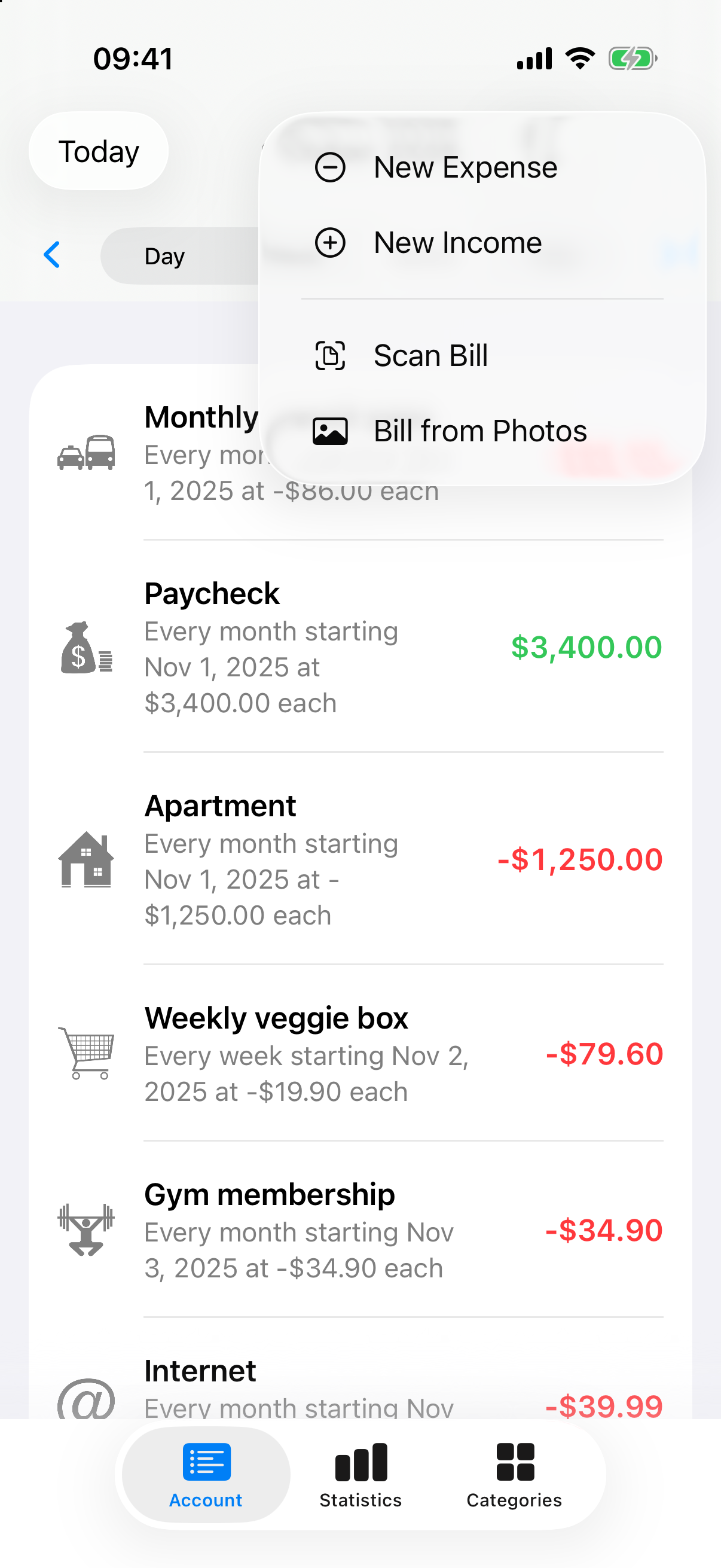
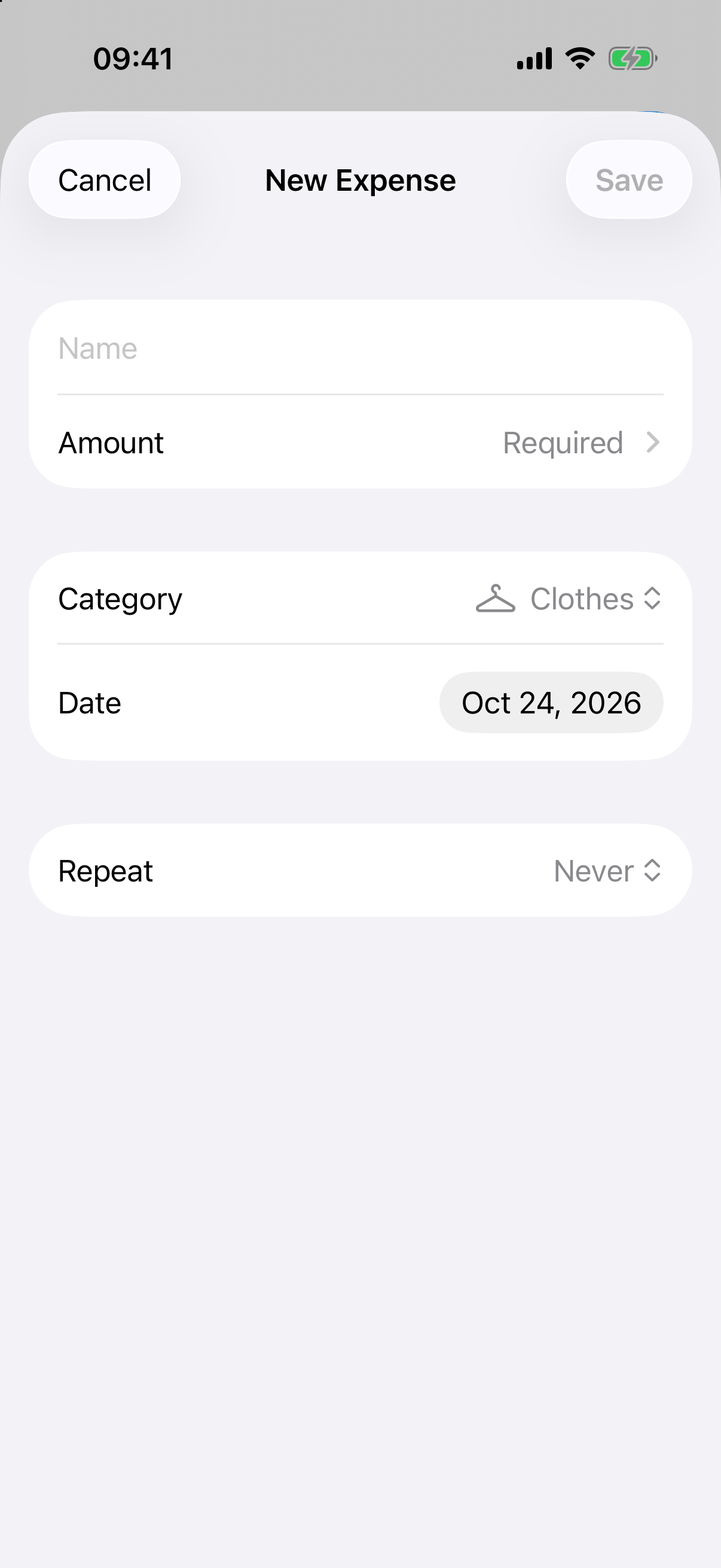
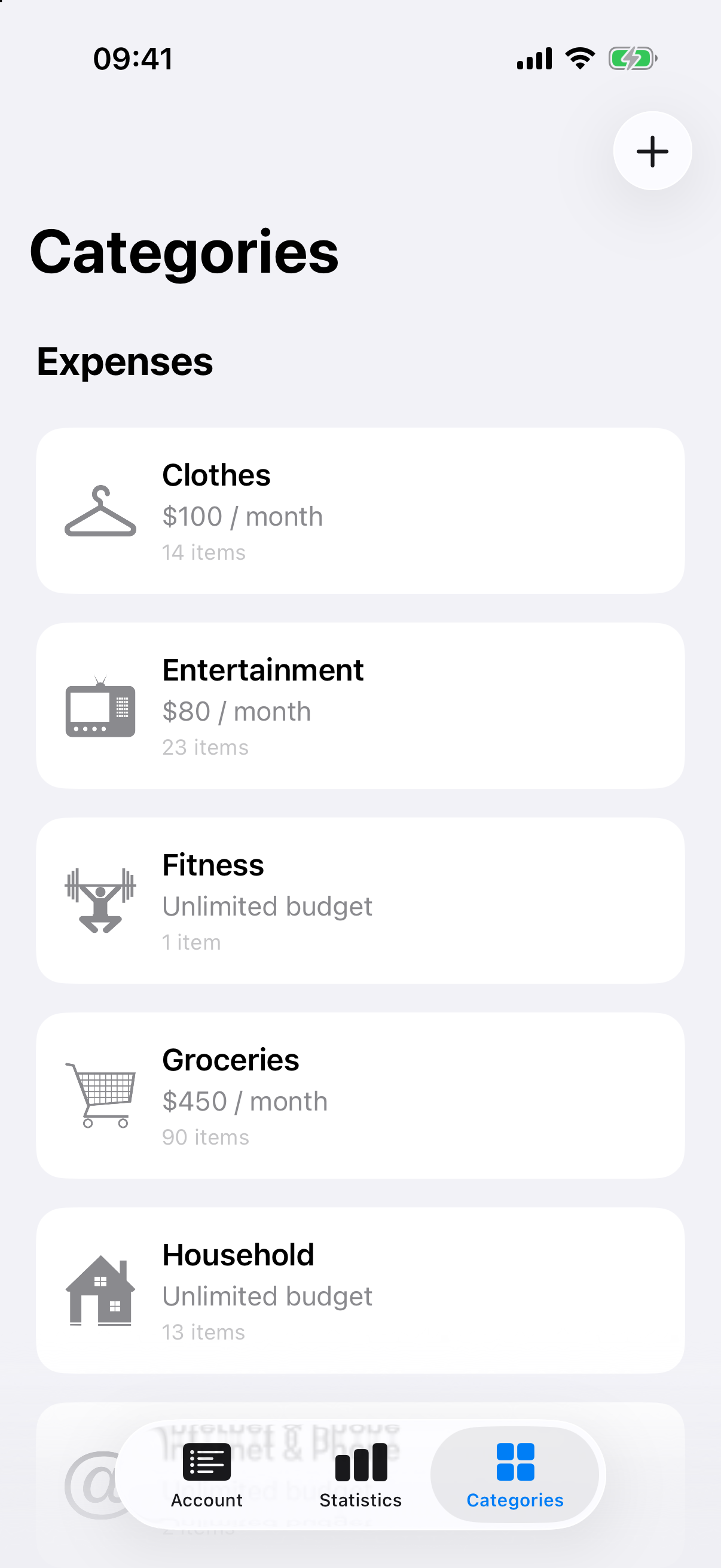
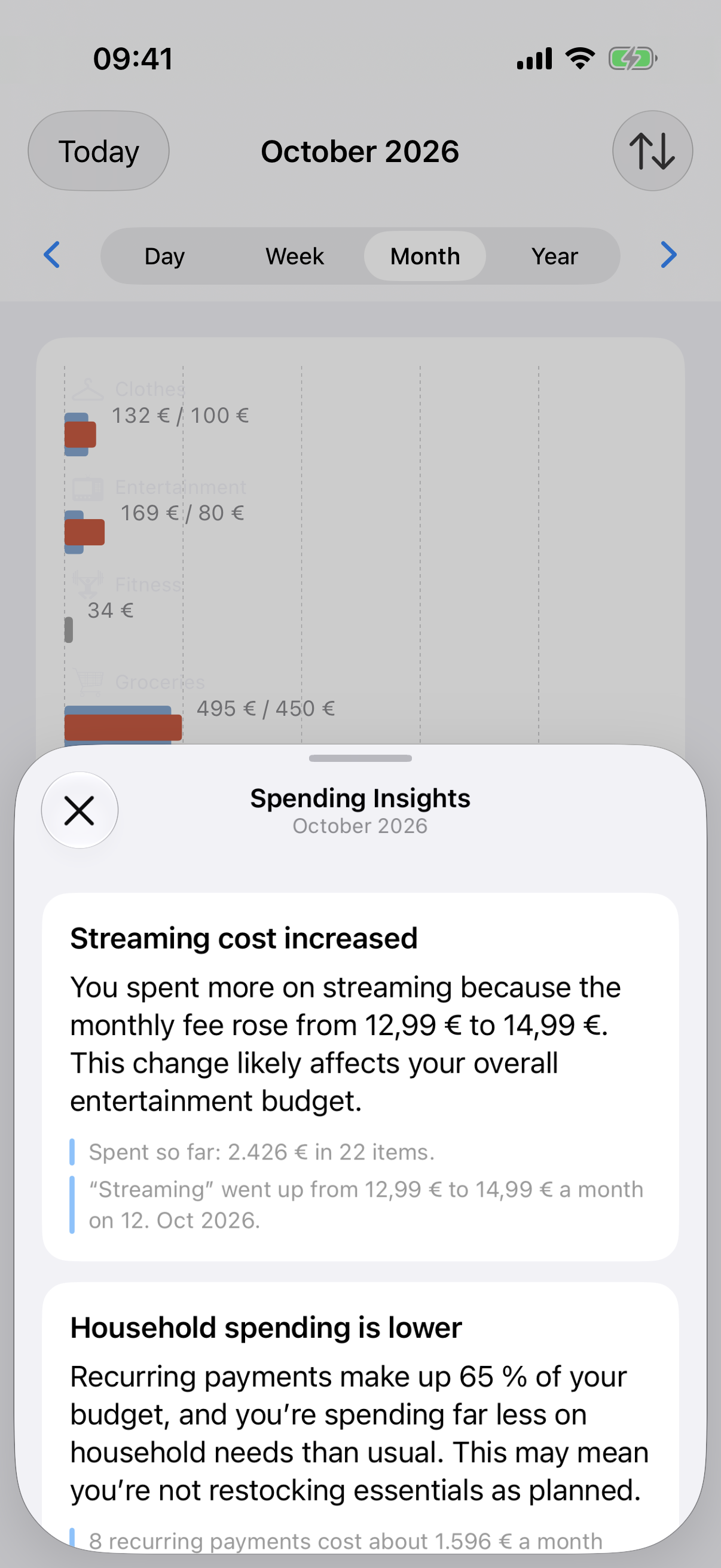
Account, Statistics and Categories have a fresh, modern design that follows light and dark mode — or pick light, dark, or the system appearance in Settings.
Scan your bills
Touch and hold Add, then choose Scan Bill or Bill from Photos. On-device intelligence reads the total, the merchant, the date and a fitting category, and opens a New Expense filled in for you to check before saving. Your receipts never leave your device.
Requires Apple Intelligence.
Days, weeks, months, years
Swipe left or right on the Account page to move between days, weeks, months and years — the list slides in from the matching side. Recurring expenses and income, like your paycheck, rent or a weekly veggie box, are entered once and show up wherever they belong.
Budget and spending, side by side
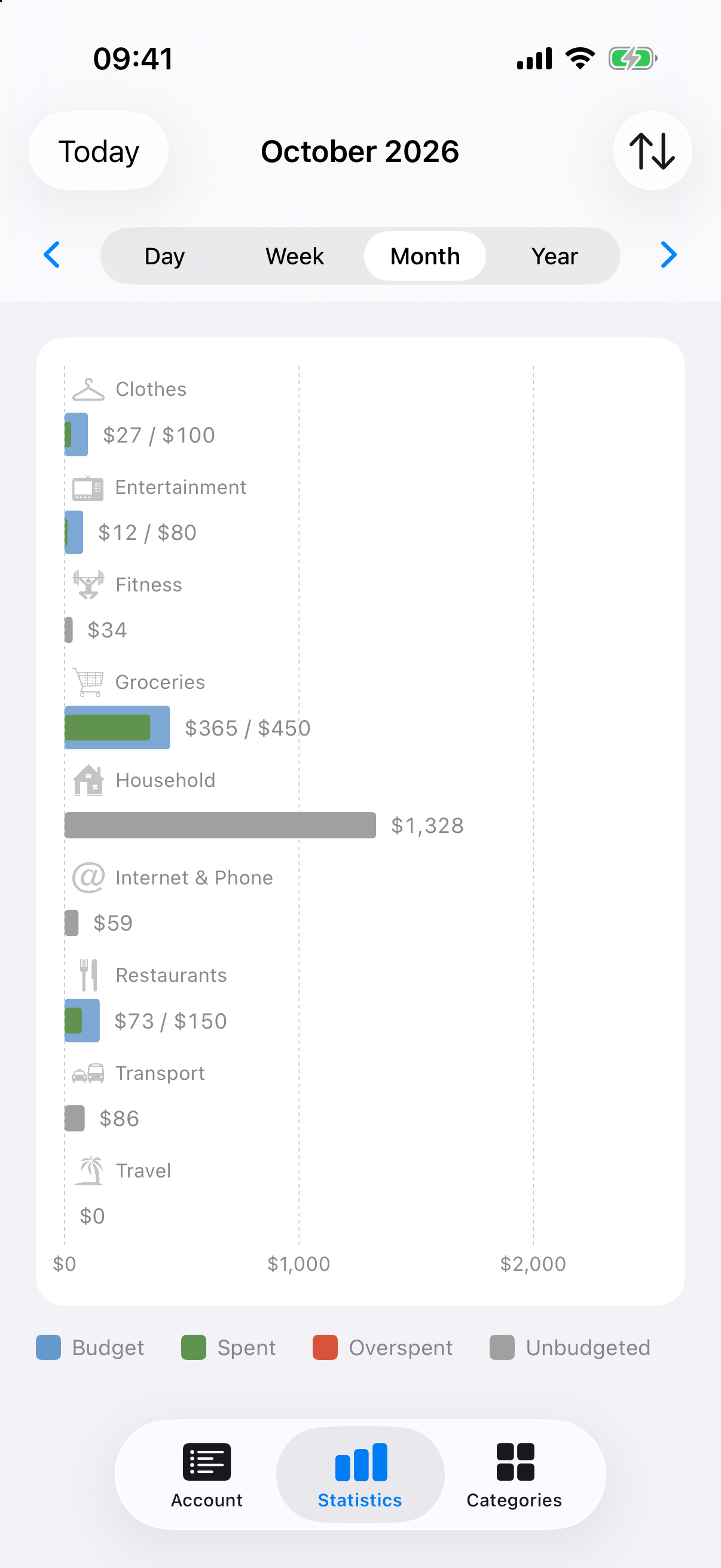
Statistics shows what you planned next to what you spent, with a clear legend:
Spent — what went out, within budget.
Overspent — where you went past the limit.
Unbudgeted — spending in categories without a budget.
Amounts are shown in whole units, so the big picture stays readable.
Quick to enter
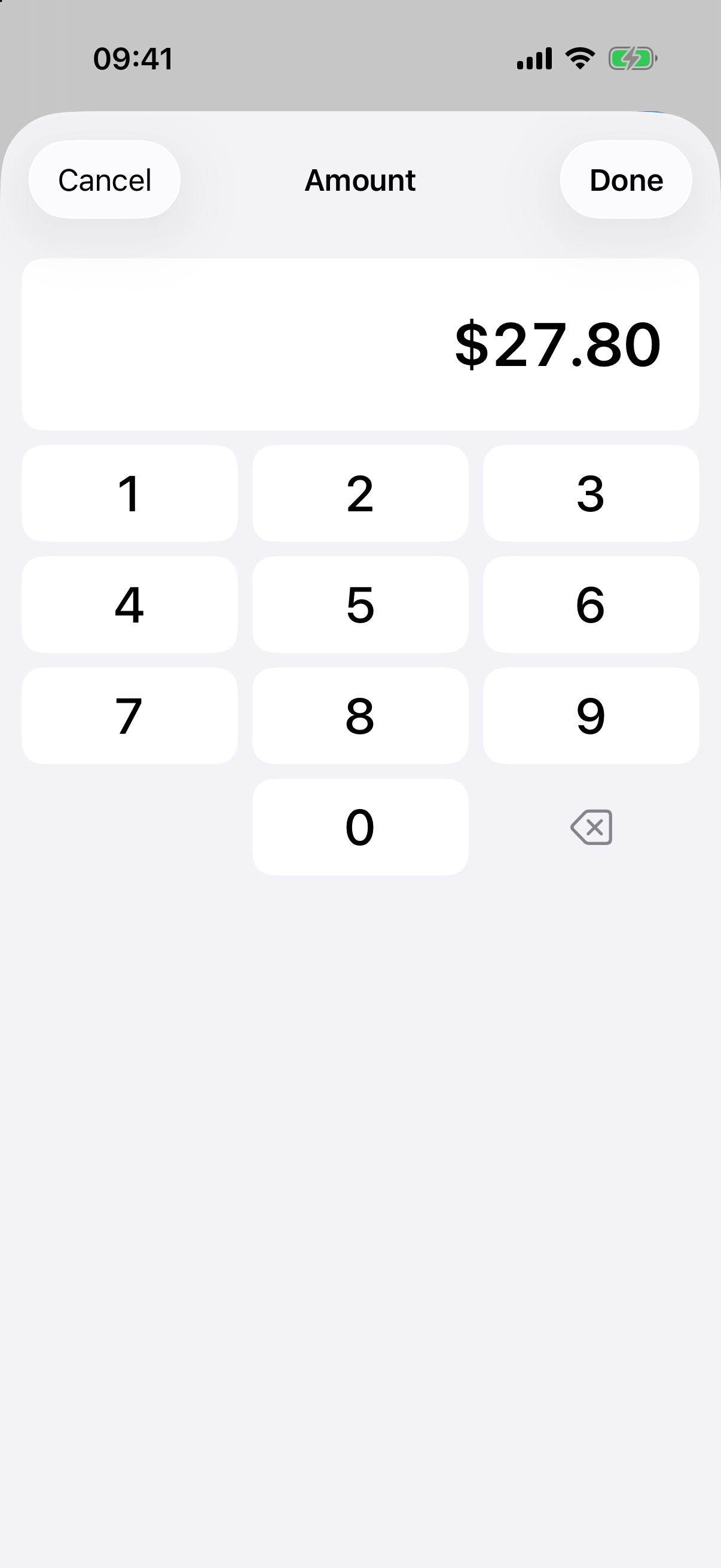
The calculator-style keypad for amounts and budgets has a new look, opens right inside the form and works with a hardware keyboard.
Your money, your currency
Every currency — choose any currency in Settings, each with its own number of decimals: none for the yen, three for the Kuwaiti dinar.
Categories with budgets — give each category a monthly budget, or leave it unlimited.
iPhone and iPad — portrait and landscape.
A new, sharp app icon.
Available in English, German, French, and Spanish.